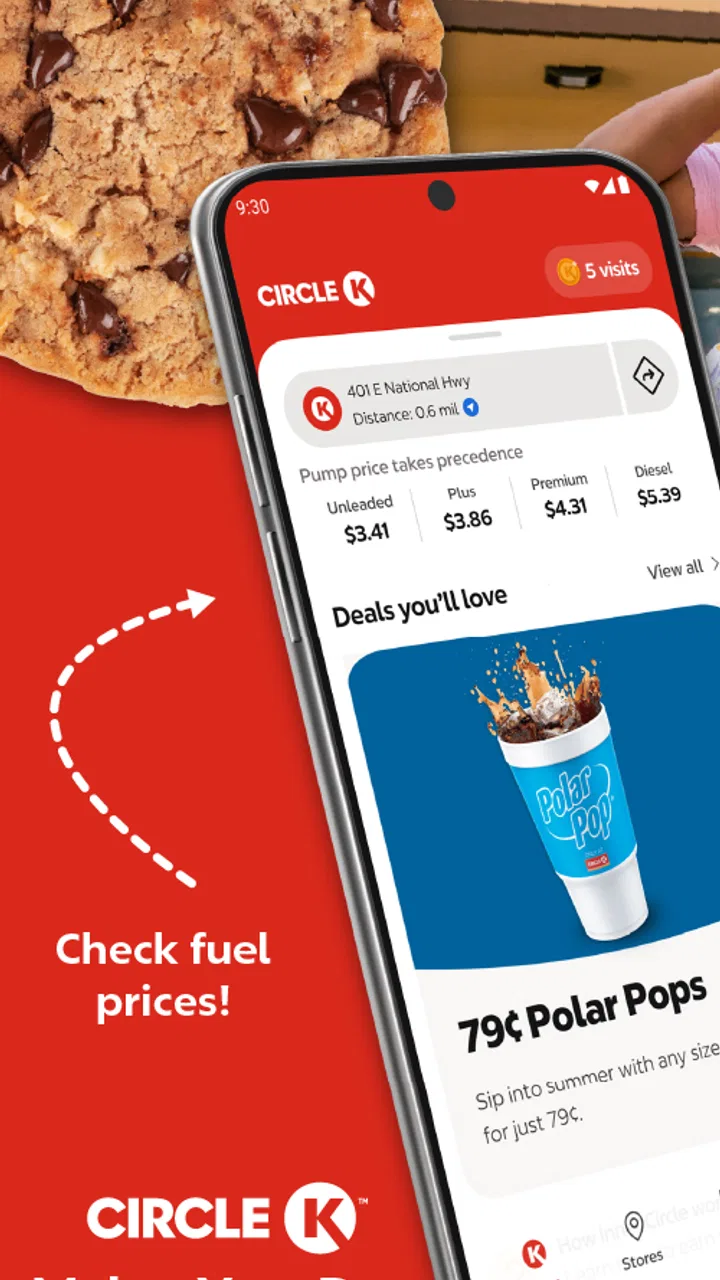
Circle K
- 4.5
- Rating
- 5.00M
- Installs
- Free
- Price

 Analysis by App-foxy
When I first opened Circle K, I treated it less like a traditional shopping app and more like a practical companion for quick stops on the road. That distinction matters. It is not trying to replace a full supermarket experience or become a general marketplace. Its purpose is narrower and more useful: helping Circle K customers make routine journeys easier through one mobile place.
The app comes from Circle K North America and sits in the shopping category. It is free to install, suitable for everyone, and has built a strong audience with over five million installs. Its average score is 4.6 from around 31 thousand ratings, with roughly 7.9 thousand written reviews. Those figures suggest that many people find it worthwhile, but they do not mean every user will have the same experience. The value depends heavily on whether Circle K is already part of your regular travel or shopping routine.
My overall impression is positive, especially for someone who often makes brief, predictable stops rather than carefully planning large shopping trips. The app feels most useful when it reduces little decisions: checking what is available through the Circle K experience, preparing before arriving, or keeping a familiar store-related task in one place. It is less compelling if you rarely visit Circle K, expect broad retailer comparisons, or want a universal shopping wallet that works everywhere.
You May Also Like

 Blood Strike: 2.5 Anniversary
Blood Strike’s Loadouts Turn Every Drop Into a Tactical Gamble
A close look at Blood Strike’s custom loadouts: how fast access to signature weapons reshapes its battle royale rhythm, rewards preparation, and narrows the gap between fights.

 Pandora - Music & Podcasts
Pandora’s Music Is Easy to Start, but Harder to Recover
Pandora’s strength is its low-effort path from a seed to a station. Its weak spot is how much confidence it asks you to place in connection, setup, and quiet recovery.

 8 Ball Pool
 Is Built on Rivalries, Rematches, and Routine
A close look at the rivalries, rematches, shared routines, and unanswered safety questions that turn a quick pool match into a persistent mobile community.

 Samsung Music
’s Quiet Strength Is Playing What You Already Own
Its reach comes less from spectacle than from dependable access to a personal library. That simplicity is both the app’s strongest retention engine and its ceiling.

 AccuWeather: Weather Radar
AccuWeather Review: A Quick, Clear Forecast for Everyday Decisions
For everyday plans, the best forecast is the one you can understand quickly. AccuWeather makes rain timing, radar, and local conditions easy to act on, with a few trade-offs.

 Hill Climb Racing
Why Hill Climb Racing Still Turns Crashes Into One More Run
A tiny car, a bumpy hill and one more upgrade: Hill Climb Racing keeps resurfacing because its simple chaos makes every near-miss feel personal.
More From Our News Desk



Getting from installation to a useful first visit
I’d begin by installing Circle K before your next planned stop, then take a moment to decide what you want the app to help with rather than exploring every screen at once. That simple choice makes the first visit a fair test of whether it suits your routine. Once you have a purpose in mind, the next section looks at what to expect as you get started.
What to expect before you begin
The store summary describes Circle K as one app for easier journeys, and that is a better expectation than thinking of it as a complete online shop. In my experience, the right mindset is to use it around a real Circle K visit. Open it when you are preparing for a stop, when you are already near a location, or when you want to make your usual routine more organized.
That focus is one of its strengths. A convenience-store app does not need to overwhelm you with endless departments, product comparisons, or complicated browsing. A person stopping for a drink, snack, travel essential, or other everyday item usually wants speed and clarity. Circle K is designed around that kind of short interaction rather than the slower process of building a large cart.
At the same time, convenience creates a trade-off. If you expect the same depth as a major supermarket app, you may find the experience limited. The app is tied to the Circle K environment, so its usefulness naturally depends on the locations you use and the tasks that matter during those visits. I would install it because I visit Circle K, not simply because I am looking for another shopping application.
The current release is version 3.54.2, and it supports devices running Android 8.0 or later. That makes it accessible to many existing Android phones, although anyone using an older device should check compatibility before planning around it. Since it is free, the main investment is your time during setup and learning where the useful sections are.
Setting it up without overthinking it
My advice for a first-time user is to install the app before you are standing outside a Circle K in a hurry. A rushed setup is when small interface questions become irritating. Give yourself a quiet minute at home or before leaving, then open the app and look through its main navigation rather than tapping randomly.
Start by identifying the part that relates most directly to your next visit. If your goal is simply to make a quick stop easier, do not spend time exploring every screen. First decide what success means for you: locating a nearby Circle K, preparing for a purchase, or understanding what account-related options are available. A clear first goal prevents the app from feeling larger than it really is.
When an app is connected to a physical retailer, location context can be important. If Circle K asks you to choose or recognize a nearby store, pay attention to that step instead of assuming the first result is automatically the right one. This is particularly important for people who travel between neighborhoods, commute across town, or regularly cross a border or regional area. The most useful store information is only useful when it refers to the place you actually intend to visit.
I also recommend checking your selected location whenever your plans change. This is a small habit, but it avoids one of the most common mistakes with retailer apps: preparing around the wrong branch. A store near home may not offer the same practical convenience as one along your route, and a saved location can remain in the background while you are traveling elsewhere.
Do not judge the application during the first few seconds of installation. The meaningful test is whether it helps with a real Circle K task. If the opening screen seems busy, pause and look for the shortest route to your intended action. Convenience apps reward purposeful use more than casual browsing.
Your first successful action
The first successful action should be something you can verify in the real world. For me, that means using the app to prepare for an actual Circle K stop rather than merely opening menus. Choose a location connected to your journey, inspect the available options that are relevant to your visit, and then use that information to decide whether the stop fits your needs.
A realistic example is a morning drive when you are already late. Instead of pulling into the first familiar-looking location and hoping it works for you, open Circle K before leaving, confirm the store that makes sense for your route, and use the app to organize the stop. You are not trying to conduct a large shopping expedition. You are trying to remove one source of uncertainty from a short journey.
Another useful scenario is a shared trip. If one person is driving and another is handling the stop, the passenger can explore the app while the driver stays focused on the road. That division makes more sense than asking the driver to interact with a phone while moving. The app becomes a preparation tool, not a distraction.
For a first test, I would avoid combining several unfamiliar tasks at once. Use one location, one purpose, and one visit. If that works smoothly, return later and explore additional parts of the experience. This approach makes it easier to tell whether a problem comes from the app, the selected store, or simply from trying to learn too much during a rushed stop.
The best first win is not completing every setup screen; it is making one real Circle K visit feel more deliberate and less improvised. That is where the app’s idea of an easier journey becomes tangible. If it saves you from searching at the last moment or helps you choose the right stop, you have already tested its central value.
Where the app fits better than usual alternatives
Compared with a general map application, Circle K has a more focused relationship with the retailer. Maps are excellent for broad directions and discovering many kinds of businesses, but they are not built specifically around the Circle K customer experience. If your question is simply “what is nearby?”, a map may be faster. If your question is “how can I make my Circle K stop more useful?”, the dedicated app is the more natural place to begin.
Compared with a general shopping marketplace, Circle K is much less about comparing countless sellers and much more about a known chain and a quick physical visit. That narrower scope is a benefit when you already want Circle K, because there is less irrelevant browsing. It is a disadvantage when you want to compare prices, brands, or availability across unrelated retailers.
Compared with using the store without any app, the advantage is preparation. You can think about your stop before arriving instead of relying entirely on memory or whatever catches your eye at the counter. The disadvantage is that you add another digital step to a task that may already be simple. For a person who visits occasionally and never needs more than a basic purchase, the traditional approach may remain perfectly adequate.
I would also avoid treating Circle K as a replacement for a full grocery-delivery service. Its convenience comes from being connected to short, immediate errands. If you are planning meals, managing a large household list, or comparing a weekly basket, a supermarket app or delivery service will usually be a better match. Circle K makes more sense for the moment between destinations.
Small points that can cause confusion
The first source of confusion is assuming that the app and the physical store are identical in every situation. A retailer app may guide your preparation, but the final experience still happens at a specific location. Store context, timing, and what you actually need can affect how useful the information feels. I treat the app as a helpful layer around the visit, not as a guarantee that every stop will work exactly the same way.
A second issue is using the app without a clear route or location in mind. When I browse without a purpose, the experience feels less valuable because I am looking at a convenience tool as if it were an entertainment app. Before opening it, ask yourself what you need from this session. Is it for the next stop, a nearby location, or a better understanding of your Circle K routine? That question usually makes the navigation feel more straightforward.
A third point concerns expectations about speed. The app can simplify preparation, but it cannot remove every part of a physical purchase. You may still need to confirm details in person or adapt when your plans change. I see this as a normal limitation rather than a failure, but it is worth remembering if you are expecting a completely hands-off transaction.
There is also a practical difference between using it at home and using it while moving. I prefer to prepare before driving, then use the result of that preparation rather than constantly checking the phone during the journey. This is safer, less stressful, and more consistent with the app’s role as a travel aid. If you need to make changes, pull over or wait until you are safely parked.
People sometimes ask whether a free app is worth installing when they can simply walk into Circle K. My answer is conditional. It is worth trying if Circle K is part of your commute, if you make frequent convenience stops, or if you want a more organized way to approach those visits. It is probably unnecessary if you visit only once in a while and your purchases are always spontaneous and uncomplicated.
Who will get the most from it
Circle K is a good fit for commuters, drivers, travelers, and anyone whose day includes repeated short stops. It can also suit households where one person plans the route and another handles the purchase. The app’s focused nature is useful for people who do not want a large shopping platform but still appreciate having retailer-specific information available before arriving.
It may be especially helpful for someone new to an area. Rather than relying only on memory or searching through several unrelated services, a Circle K customer can begin with the chain’s own app and build a clearer routine around the locations they actually use. That does not make it a full navigation replacement, but it can reduce the friction of learning where Circle K fits into a new commute.
On the other hand, I would not recommend making it a priority for someone who rarely shops at Circle K, prefers independent stores, or wants one app covering every retailer. It is also not the right choice for a person looking for detailed grocery planning, broad price comparison, or a substitute for a general map service. The narrower the need, the more likely the app will feel useful; the broader the expectation, the more likely it will feel incomplete.
How to make the next visit smoother
Once the first action works, the next step is to create a repeatable routine. I would open Circle K before starting a journey, confirm the relevant location, and decide what I need from the visit. This takes less mental effort than opening the app only after arriving and trying to solve everything while standing in a queue or sitting in a parked car.
For regular users, the most valuable habit is checking context rather than assuming yesterday’s choice still applies. Your route may change, you may be visiting another location, or your needs may be different. Treat the app as a current planning aid, not a permanent record that can be followed without thought.
Another useful habit is separating discovery from action. Explore the app when you have time, then use it quickly when you are traveling. This keeps the journey-focused experience from becoming a source of distraction. It also helps you remember where the important controls are, which matters more than knowing every feature by name.
If the app does not immediately improve your routine, give it one or two real visits before deciding. Some benefits only become clear when you use the same workflow repeatedly. However, do not keep it installed out of obligation. If your normal Circle K stop is already fast and the app adds more steps than it removes, your usual method may genuinely be better.
My final take after using it as a travel companion
Circle K succeeds when it stays close to its purpose. It is a free shopping app from Circle K North America that helps connect digital preparation with a physical convenience-store visit. Its broad adoption and strong average rating make it an easy app to try, but the more important question is personal: do Circle K stops happen often enough in your life for a dedicated tool to earn a place on your phone?
In my view, the answer is yes for regular customers who want less improvisation during commutes and short journeys. I like that its value does not depend on turning a quick stop into a major shopping project. Used before a trip, with the correct location and a specific goal, it can make a familiar errand feel more controlled.
The limitations are equally clear. It is not a universal marketplace, not a complete grocery planner, and not necessarily faster than walking into a store when your needs are simple. Its usefulness can also vary depending on how closely your chosen Circle K location matches your plans. Those are not reasons to reject it; they are reasons to use it with realistic expectations.
My recommendation is to install it before your next planned Circle K visit, set up the basics without rushing, and test one concrete task. If that first experience helps you prepare a stop, choose a more suitable location, or reduce uncertainty during a journey, keep it as part of your routine. If it does not, you have lost little because the app is free, and you may find that a map app or your usual in-store habit is a better fit.
With a content rating for everyone and support beginning at Android 8.0, it is approachable for a wide range of users. I would describe it as a focused companion rather than an essential app for every shopper. For the right Circle K customer, though, that focus is exactly what makes it practical.
FAQs for Circle K
01What features does the Circle K app offer?
The Circle K app provides a range of features including finding the nearest store, viewing current promotions, and accessing the rewards program. Users can also track fuel prices, make mobile payments, and receive personalized offers. This makes it a convenient tool for frequent Circle K customers.
02Is the Circle K app available for both Android and iOS?
Yes, the Circle K app is available for download on both Android and iOS platforms. You can find it on the Google Play Store for Android devices and the Apple App Store for iOS devices. Ensure your device meets the system requirements for a smooth experience.
03How does the Circle K rewards program work in the app?
The Circle K app integrates a rewards program where users can earn points for every purchase. These points can be redeemed for discounts on fuel, in-store items, or special offers. Users need to register an account to start accumulating points and take advantage of personalized rewards.
04Are there any costs associated with using the Circle K app?
The Circle K app is free to download and use. However, while the app itself does not incur charges, standard data fees may apply depending on your mobile service provider. Additionally, any purchases made through the app will be charged to your linked payment method.
05How secure is my information on the Circle K app?
Circle K prioritizes user security, employing encryption and other security measures to protect personal and payment information. Users are encouraged to keep their app updated and use strong passwords to further ensure the security of their accounts. Always be cautious about sharing login details.
Pros
- User-friendly interface with intuitive navigation.
- Convenient location finder for nearby stores.
- Exclusive discounts and promotions available.
- Quick and easy mobile payment options.
- Real-time fuel price updates and alerts.
Cons
- Limited features compared to competitors' apps.
- Occasional app crashes during busy hours.
- Some features require account creation.
- Inconsistent customer service experiences.
- Offers may vary by region and store.

Circle K
Gallery